Online booking for beauty and wellness professionals
Create your profile, add services and schedule — clients can book with you in just a few clicks. Free.
Everything you need
Simple tools to help you organize bookings and focus on your clients
Pro
Clients book without ever leaving Telegram
A mini app inside your bot — no install, no signup. Just a link or QR code.
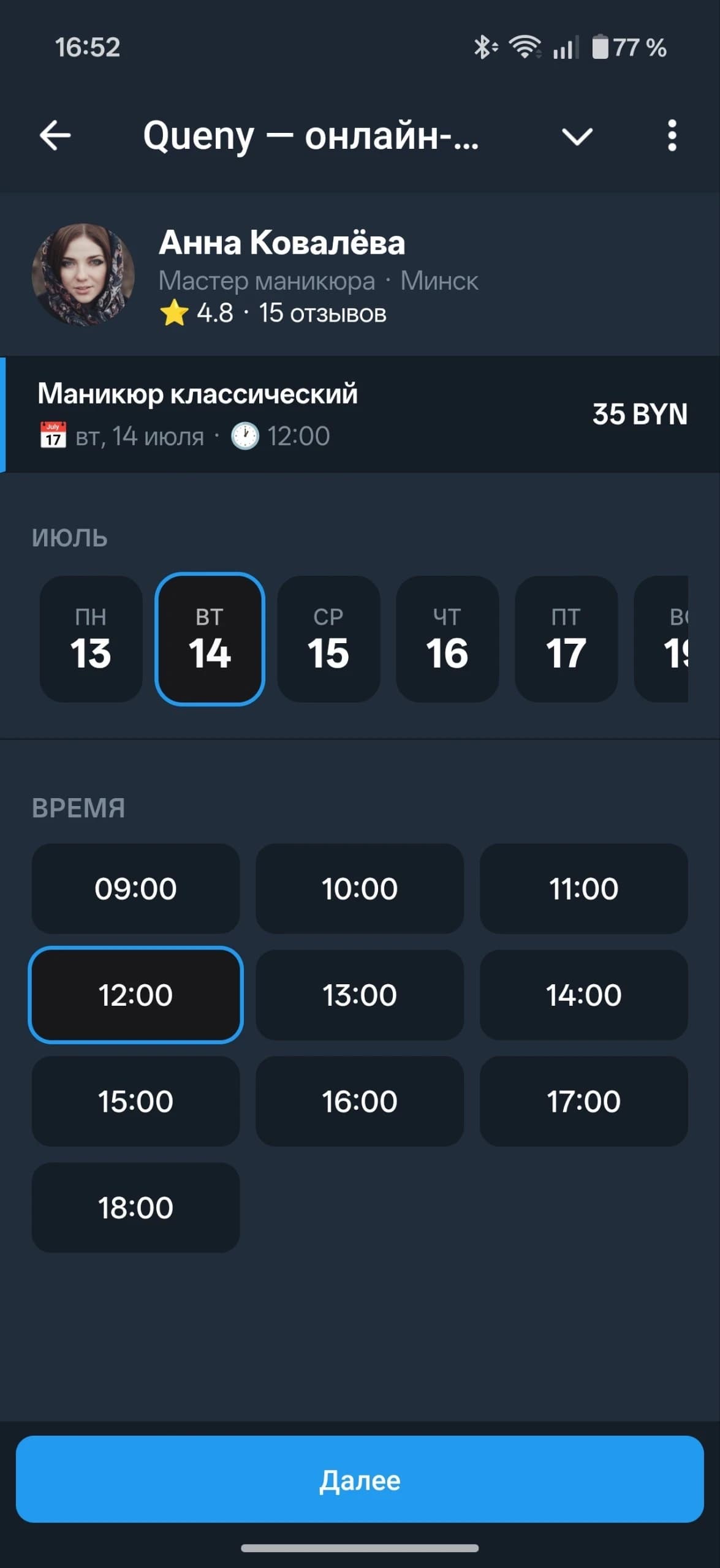
Online booking & multi-services
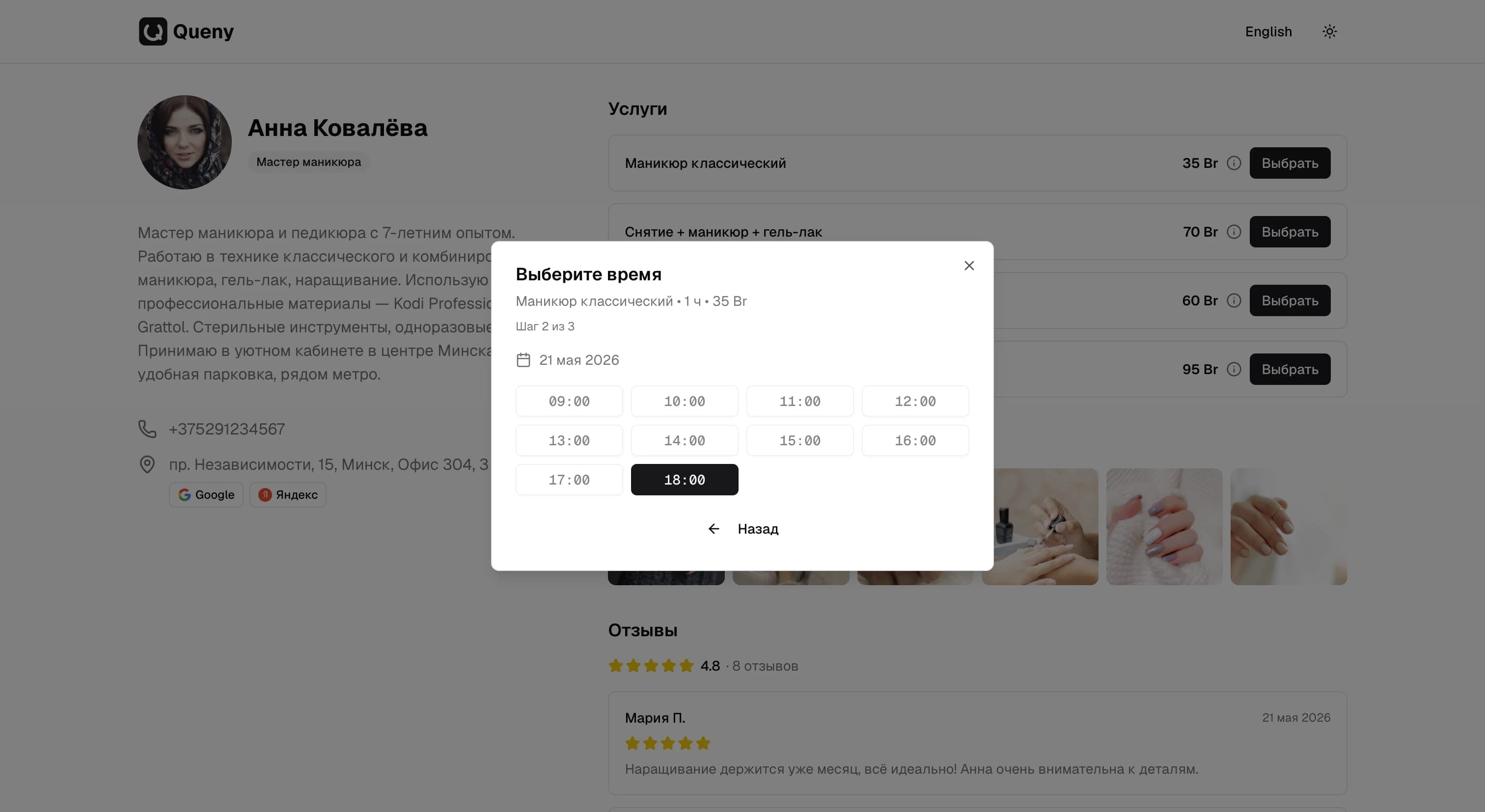
Clients choose a convenient time and book themselves — no calls or messages needed. Supports booking multiple services in a row.
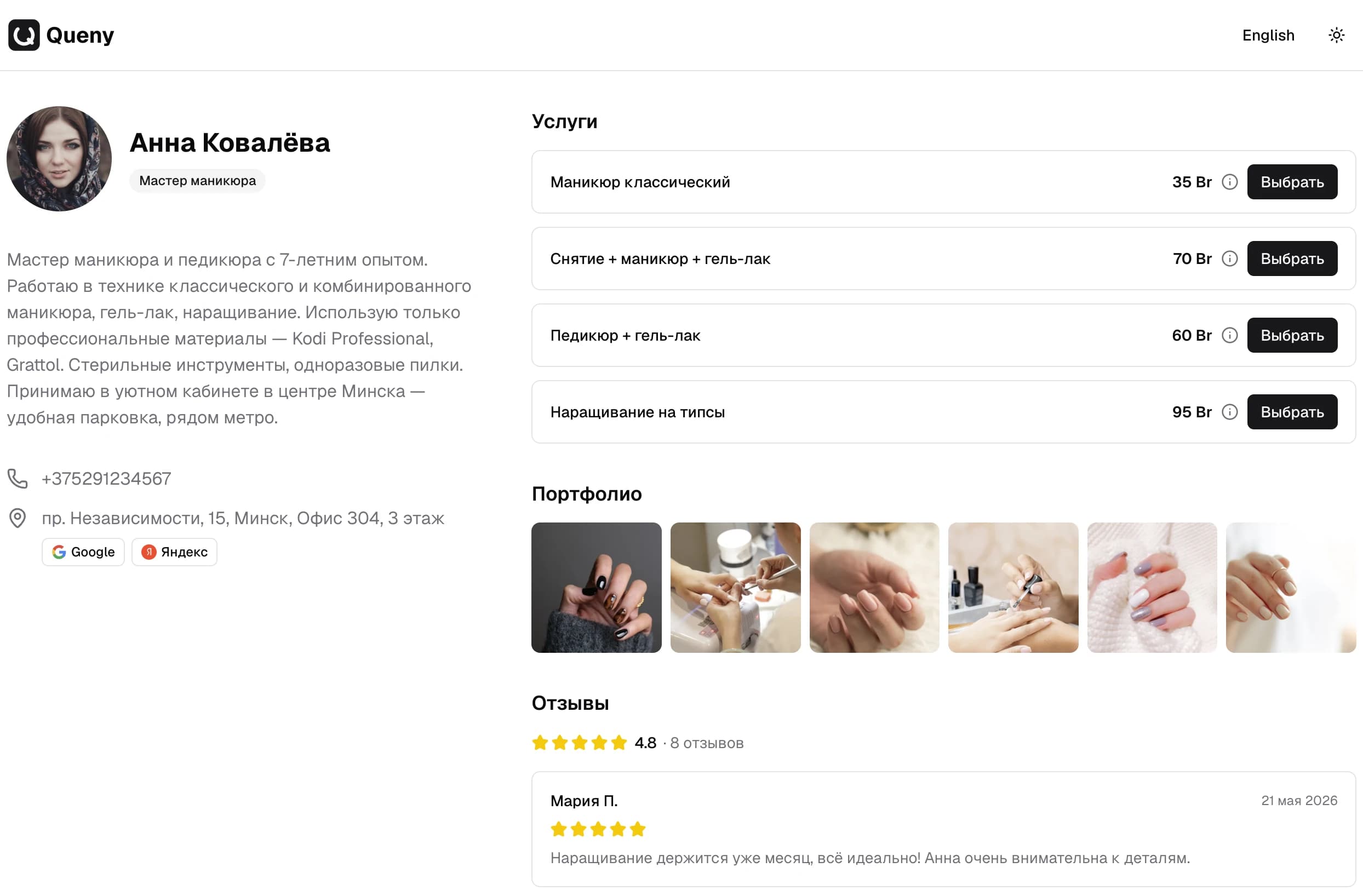
Public page
Personal master page with services, contacts, and a booking button
Portfolio
Upload photos of your work and showcase them on your public profile page
Client reviews
After a visit clients receive a review link by email — your rating grows automatically
Master catalog
Clients find you through search — new bookings without ads or word of mouth
Flexible schedule
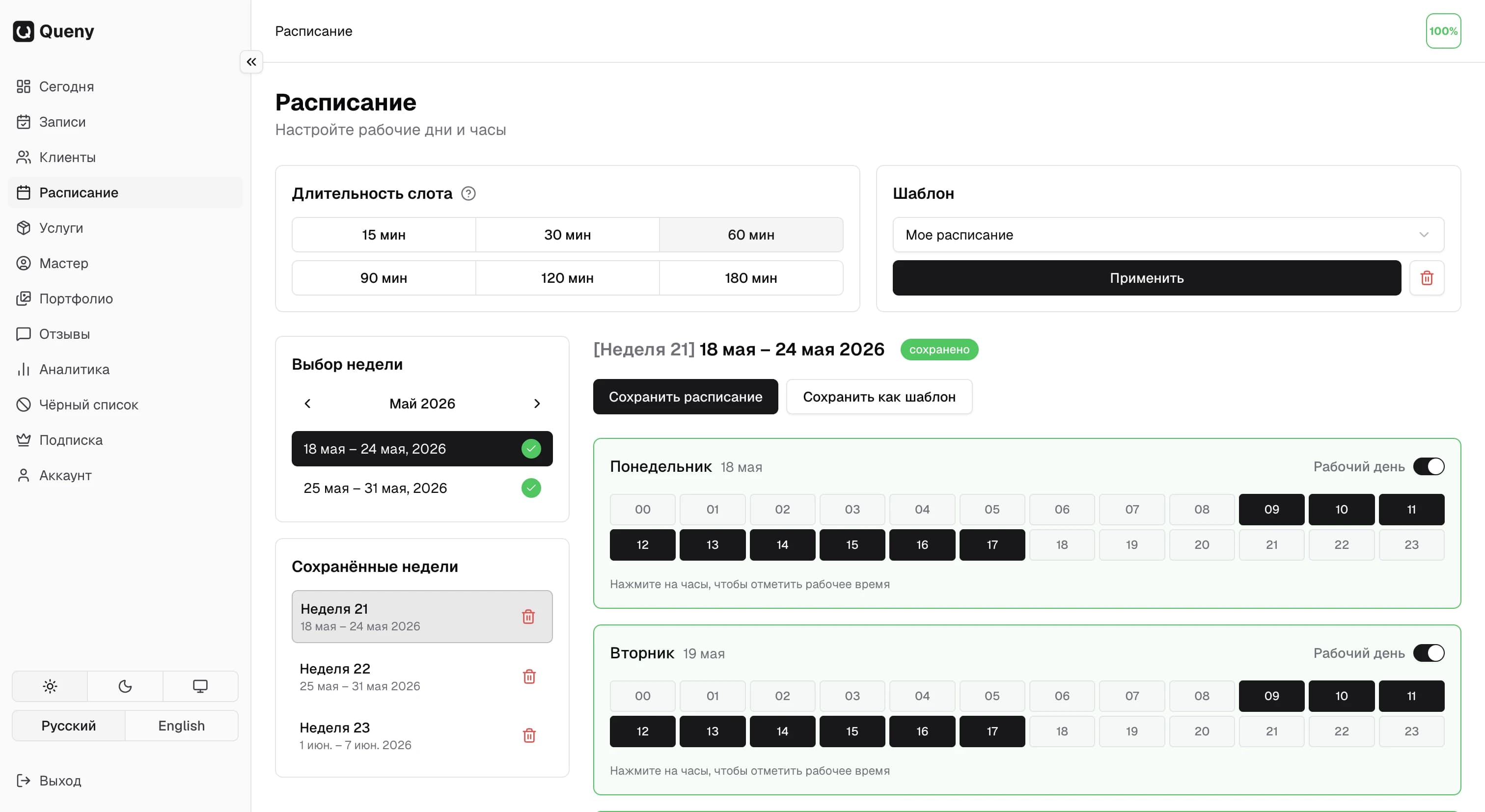
Set up working days, hours, and breaks for each week individually
Notifications & reminders
Email notifications to master and client, plus a reminder 3 hours before the appointment
Pro
Analytics
Revenue, average check, top services and busy hours — all in clear charts
Pro
Client base
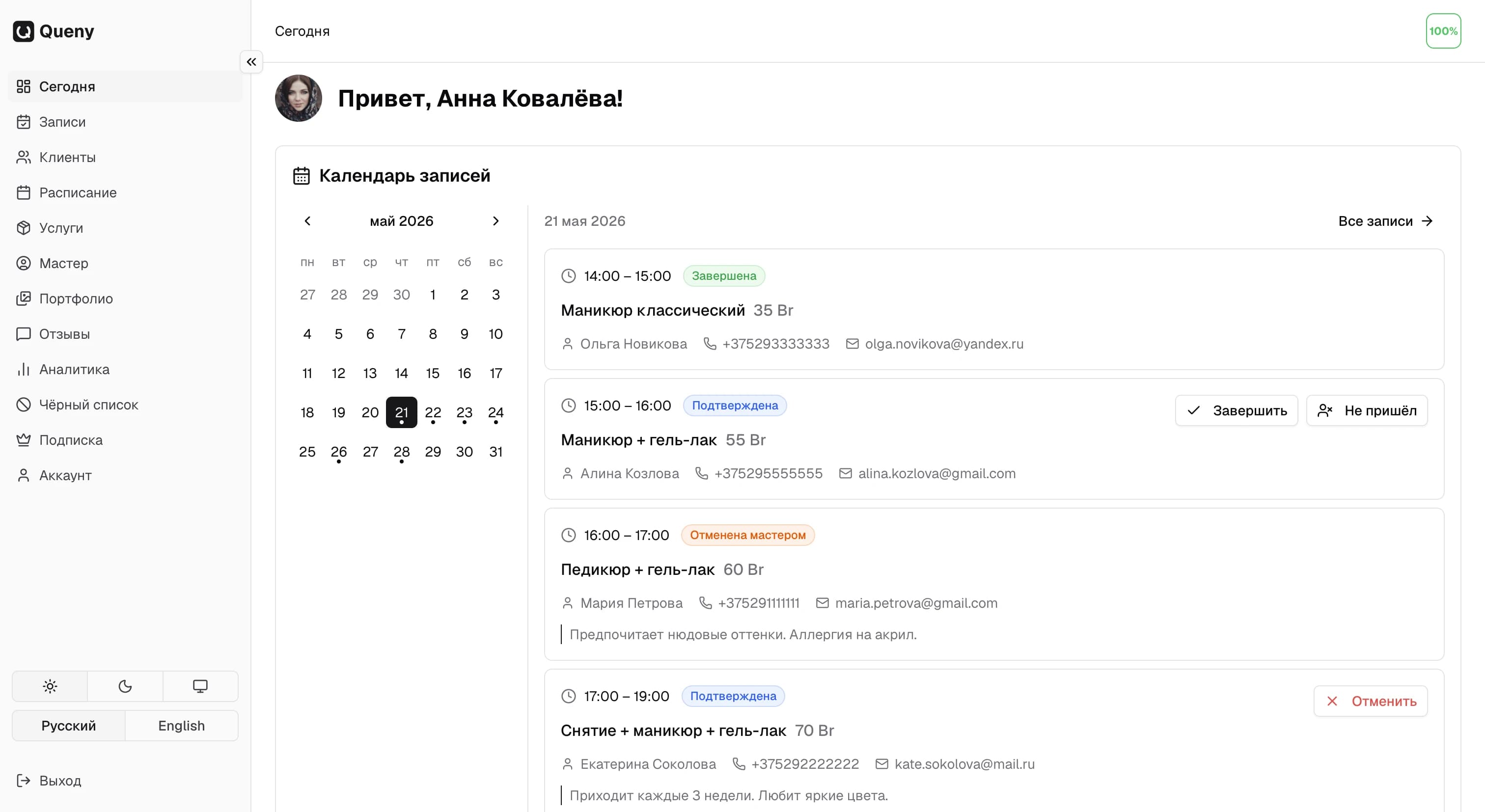
Visit history, notes and revenue per client — all in one place
Client self-management
Clients can cancel or reschedule their booking via link — no calls to you needed
Pro
Telegram notifications
Get notified about new bookings, cancellations and reminders directly in Telegram
Pro
Blacklist
Block problematic clients — they won't be able to book with you again
How it works
Five simple steps — and you're ready to accept bookings
1
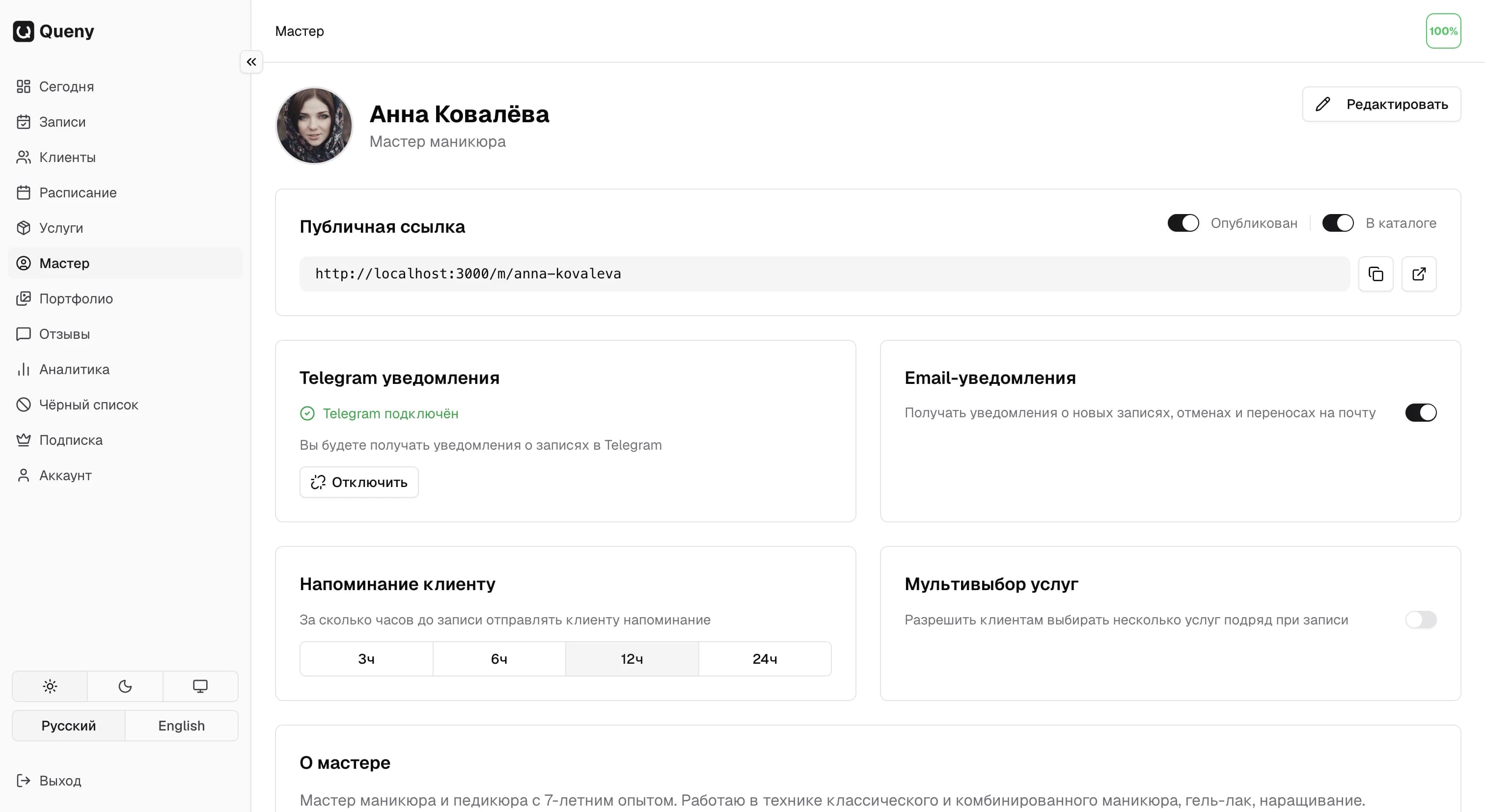
Create your profile
Sign up with Google and fill in your master profile — name, specialty, contacts
2
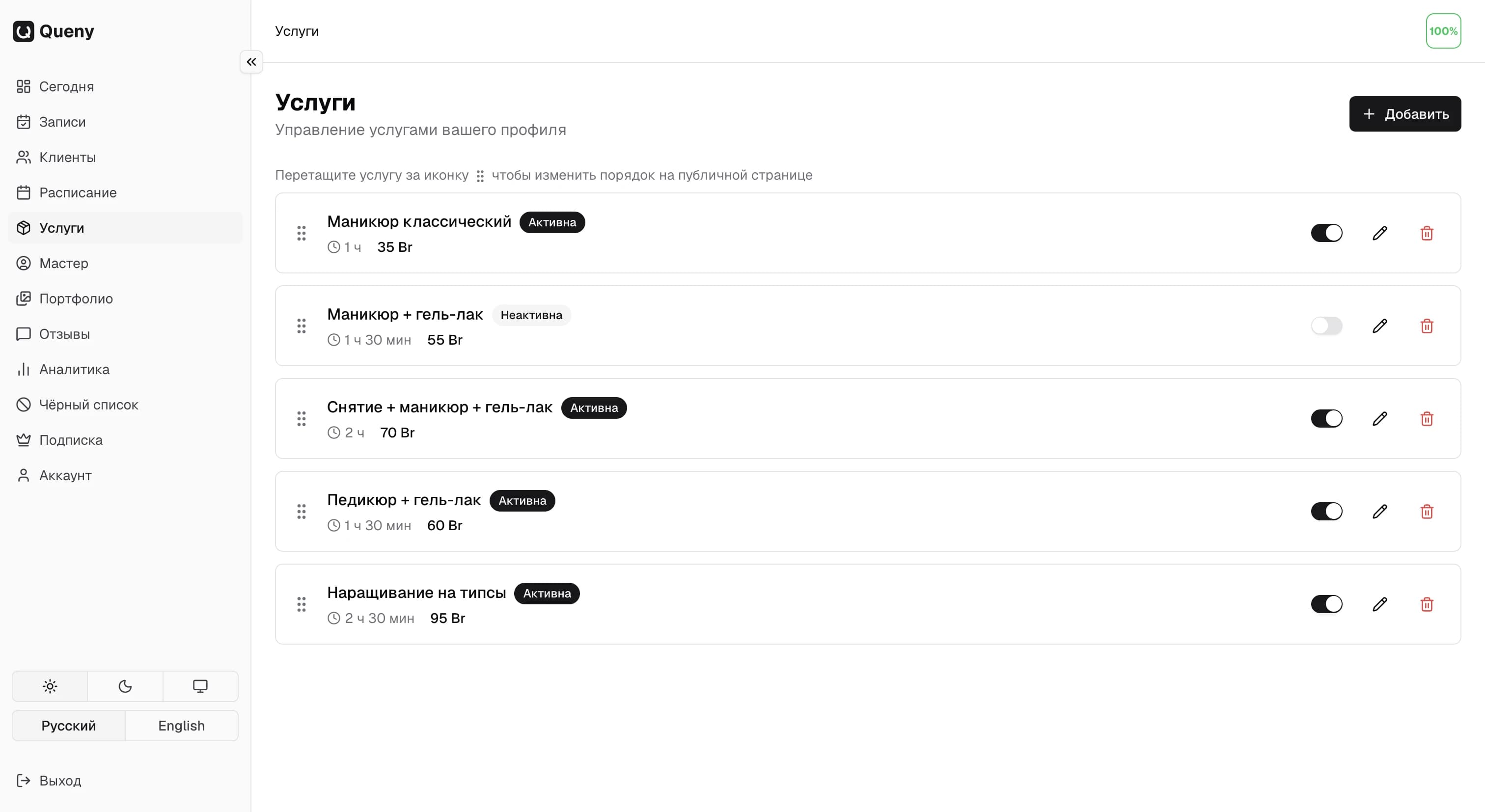
Add services
List your services with prices and descriptions — clients will choose from your menu
3
Set up your schedule
Set your working days and hours for the weeks you need — free slots appear automatically
4
Share your link
Send your page link to clients or add it to your social media
5
Receive bookings
Clients book online, and you get notifications via email and Telegram
Pricing
Start for free — subscribe when you're ready
Free
0 BYN
Up to 30 active bookings per month
- Online client booking
- Public master profile
- Services and schedule management
- Email notifications to master and client
- Portfolio (up to 6 photos)
- Client reviews
- Master catalog — clients find you
- Client base with visit history
- Analytics and statistics
- Client blacklist
- Telegram notifications
- Booking via Telegram Mini App
Full access
Pro
25 BYN/ month
or 250 BYN / year (save 17%)
Unlimited bookings, all features
- Online client booking
- Public master profile
- Services and schedule management
- Email notifications to master and client
- Portfolio (up to 16 photos)
- Client reviews
- Master catalog — clients find you
- Client base with visit history
- Analytics and statistics
- Client blacklist
- Telegram notifications
- Booking via Telegram Mini App
The app for professionals
Manage bookings, schedule and clients right from your phone.
- Bookings and schedule always at hand
- Get a push the moment a client books
- Portfolio, services and analytics in your pocket
Ready to get started?
Create an account and start accepting online bookings — free, no time limit